
AI in Practice
Building AI Agents: Essentials
One hands-on day to cut through the agent hype, spot where an agent pays off, and build your first, with no code. Skills your team uses the next working day.
Move now, but move smart
Nearly three in four companies plan to put AI agents to work within two years1, and agents are already arriving inside the tools your team uses every day. The possible uses are everywhere, from chasing invoices to sorting emails. Finding the ones worth building is harder than the hype makes it sound.
On the other hand, standing still is a risk. So is every staff member building agents on their own. The organisations getting value from agents are not the fastest movers. They are the ones whose people know what an agent is, when one is worth building, and how to keep it under control.
This day gives your team that edge. They'll see inside an agent, learn when a task needs one (and when a simple automation or a good prompt will do), then build a working agent on a realistic business case, step by step, with no code, and scope one for their own work. Every technique is held to the Monday Morning Test: if your team can't use it the next working day, it doesn't make the cut.
Why agent projects stall
Agents are moving faster than the guardrails. Only 21% of companies have a mature model for governing them1.
The causes are rarely the technology. They are a problem nobody defined, costs nobody worked out, and controls nobody set. Your team leaves knowing the three questions to answer before anything is built:
Checkpoint 1
Is this worth an agent?
Only 1 in 4 companies have moved even 40% of their AI pilots into production1.
Checkpoint 2
What will it cost to run?
49% of large organisations have delayed or scaled back agents once running costs outran the value2.
Checkpoint 3
Where must a person stay in charge?
Nearly half of organisations in one 2026 security survey confirmed or suspected an agent had taken an unintended or unauthorised action3.
Then build.
This course gives your team the judgement to build the right agents, at the right cost, with the right controls, before the first one goes live.
Content overview
From "what is an agent?" to your first working one, in a day.
01
What an AI agent really is. The model, the harness around it, and the instructions, tools and memory that make it act. Agents that follow set steps versus agents that decide their own, and how the loop of thinking, acting and checking works.
02
The agents you already meet. Assistants inside office tools, chat apps that search and act, and agents built for a job: what each can do, what it can't, and four questions that sort them.
03
When an agent is worth it. Sorting a task into agent, automation, a good prompt or a person, and why so many agent projects stall.
04
The business case. Time saved and errors avoided against build and run cost, worked out before building.
05
Your first agent. A guided, no-code build on a realistic business case: an agent that chases overdue invoices, starting with fixed steps, then reading each reply and choosing what to do next.
06
Instructions and knowledge. Writing an agent's instructions with AI's help, giving it the facts it needs, and why out-of-date facts make agents confidently wrong.
07
Memory. What an agent can and can't remember, and how a simple log of what happened keeps it consistent.
08
A person in the loop. Approvals before anything leaves the building, access limited to what the job needs, and keeping keys safe.
09
Agents under attack. How instructions hidden in an email or a document can hijack an agent, and the safeguards and fixed rules that stop it.
10
Cost per run and your agent brief. Reading what each run costs, and finishing a one-page brief for an agent of your own.
What's included
A pre-delivery scoping call to confirm objectives and your team's priorities
A digital, fillable workbook for each participant
A training login for each participant, with AI usage included
A certificate of completion for every participant
A post-delivery participant survey, with a pre-training survey where timing allows
A debrief about a week after delivery, with a short summary of outcomes
What participants leave with
What an agent is
A clear, hype-free picture of what an AI agent is, and the difference between agents that follow set steps and agents that decide their own
Which tasks need one
A simple way to tell which tasks need an agent, which need a plain automation, and which need neither
The business case
A simple business-case method to judge whether an agent will pay for itself, before anything is built
A working agent
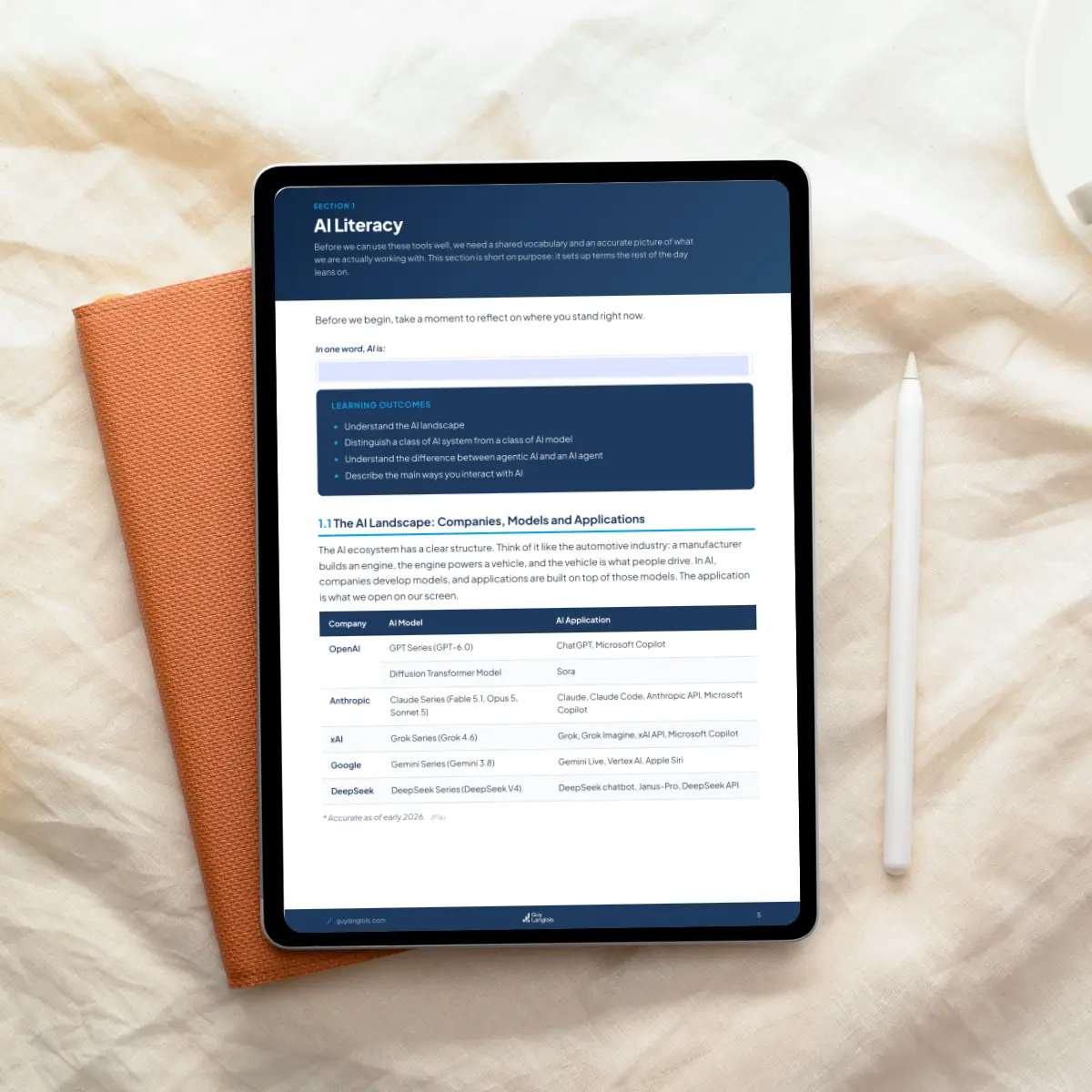
A working agent built on a realistic business case, with instructions, tools, knowledge and memory. No coding required
The controls
The controls that keep an agent safe: human approval, limited access, and defences against instructions hidden in emails and documents
Your agent brief
A ready-to-use agent brief for a task from your own work, to take to IT, a vendor, or your own build
Is this right for your team?
This is for you if
your team already uses AI chat tools and wants to understand, evaluate and deploy AI agents;
you're a team, team lead or process owner in operations, finance, HR or customer service;
you've been asked "should we be using agents?" and want a confident answer;
you want hands-on skills with no technical background needed.
This is not for you if
your team is new to chat AI tools: start with AI in Practice: Productivity Essentials;
you want to learn to code agents: this is a no-code course;
you need an agent built on your own systems during the course: participants build a working agent on a realistic business case, then leave with a brief for one of their own, to take to IT, a vendor or your own build.
Before you book
Prerequisites
AI in Practice: Productivity Essentials, or equivalent experience:
using a chat AI tool regularly at work;
understanding core context management concepts;
refining its answers rather than accepting the first draft;
knowing what data to keep out.
We confirm it in the booking chat. No coding. Every participant builds a working agent on a realistic business case, then scopes one for their own work.

Guy Langlois
With 15+ years at the intersection of technology and business, I help teams actually use AI, not just talk about it. I build agentic AI systems myself, so the tools I teach are tools I use.
Master's in Software Engineering | Master's in Business and Innovation Management | Gold Coast, serving Australia and New Zealand
Organisations whose teams I've trained










What people say
“
I highly recommend Guy for his delivery of AI training. Guy was thoroughly professional, engaging and attentive. He effectively supported participants across a full spectrum of AI knowledge, from complete beginners to advanced users, ensuring everyone felt included, confident and able to apply the tools immediately.
Manu Hingorani, Team Leader Network Optimisation & ITS Project Manager, Queensland Government
“
Guy helped our whole team understand how we can safely and effectively integrate AI into our business. He taught everyone how AI actually works, so we can think more effectively about how to use it day-to-day. The training has sparked several conversations and collaboration amongst everyone. Highly recommend!
Scott Kompo-Harms, CEO, Queensland Fruit & Vegetable Growers
“
Thanks for a terrific introduction to the power of AI. It's clear you have the knowledge in this technology and I really appreciated your insight. I do heaps of professional development stuff, so this is a testament to how much I valued the session.
Lara Keller, Statewide Clinical Operations Manager, Pathology Queensland
Frequently asked questions
What happens before the course?
A scoping call where I learn about your team, your challenges and your goals, so the examples and exercises fit your context. Light customisation is included: examples and use cases drawn from your team's work. The hands-on build stays on a realistic business case with sample data; a fully bespoke course is quoted separately.
What do participants need on the day?
A laptop with an up-to-date browser. There's nothing to install and no accounts to set up: each participant gets a training login. One check beforehand: that the training site isn't blocked on your network.
What do participants build on?
A browser-based training environment set up for the course, free to participants. AI usage during the course is included.
Do participants work with our real data?
No. The build uses sample data only: sample invoices, a simulated accounting system and a test inbox. Nothing is sent to real people, and no real systems, customer data or personal passwords are used.
What do participants receive?
A digital, fillable workbook to keep using after the course, a training login with AI usage included for the day, and a certificate of completion.
What happens to the agent after the course?
It's a training build, so logins close after the course. Each participant keeps an export of the agent they built, to continue on their own or on your organisation's tools, along with the brief for an agent of their own.
What happens after the course?
Participants complete a short survey on what they learnt and how the day went. About a week later, we meet for a debrief where I share a short summary of outcomes: what landed, what your team wants to do next, and where they may need more support.
Can the course run online?
Yes, with the same content and the same hands-on build. It normally runs as a full day; other formats can be discussed.
How many people can attend?
Up to 10 per course, so every participant builds a working agent, hands-on.
Do participants need to have done Productivity Essentials?
AI in Practice: Productivity Essentials or equivalent experience (see Prerequisites above). We confirm it in the booking chat.
What does it cost?
The course is quoted for your team after a short chat, based on format and location. AI usage during the course is included.
Notes
1. Deloitte AI Institute, "State of AI in the Enterprise: The untapped edge", January 2026 (survey of more than 3,200 business and IT leaders). deloitte.com
2. KPMG International, "Global AI Pulse Q2 2026", June 2026 (2,145 senior leaders, 20 countries, organisations with more than US$50 million revenue). kpmg.com
3. Salt Security, "State of Agentic AI and API Security, 2H 2026", October 2026 (380+ security and technology professionals). Reported by Campus Technology, 21 October 2026.
Interested? Let's chat.
Happy to discuss how this training could work for your team. No commitment required.