
AI in Practice
Productivity Essentials
A practical, one-day course building AI skills your team can use the next working day. Tool-agnostic, hands-on, and designed around the realities of professional work.
What's in it for you
Employees at enterprises using AI report saving 40 to 60 minutes a day, and three in four say they can now complete tasks they couldn't do at all1. That's time your team redirects toward deeper thinking, better decisions, and the parts of their roles they actually want to focus on.
The gains are not automatic. On average, AI users save about two hours a week; among daily users, one in three save four hours or more2. The difference is a small set of teachable techniques: how to frame a task, how to give context, how to iterate on output instead of accepting the first draft.
Because the course teaches judgement and method, not one product's buttons, it works in whichever AI tool your team uses. Every technique is held to the Monday Morning Test: if your team can't use it the next working day, it doesn't make the cut.
What separates effective AI users
Of employees save time with AI
Of that saving is lost to rework: correcting errors, rewriting weak content, verifying poor outputs
Consistently get clear, positive outcomes
The difference between the 14% and the rest comes down to how the tools are used, and that can be taught. Beyond the immediate productivity gain, AI fluency is fast becoming a core professional skill, and it compounds: the prompts your team saves, the techniques they internalise, and the judgement they develop about when to trust AI and when to verify it.
This course is about getting the productivity gain most people miss, building AI fluency that's becoming essential professionally, and doing it without the frustration of figuring it out alone.
What your organisation gains
Real productivity on real work
Practical gains your team applies the next working day, on the work they already do. No theory that gathers dust.
One team, one standard
Training the whole team together creates shared language, shared practices and the peer support that makes new habits stick.
A safe baseline across the team
One shared standard for what data is and isn't safe to put into AI tools, and output checked before anyone relies on it.
Judgement that lasts
AI tools change monthly. Prompting, iteration and verification work in any tool, so the value holds whatever your team settles on.
Content overview
Build practical AI skills your team can use from day one.
01
AI foundations. The vocabulary and mental model behind generative AI: how it differs from traditional software, how companies, models, and apps relate, and a grounded sense of what these tools can do today, across text, images, and data, and what they still can't.
02
Safety and responsible use. A quick check for the identifying details that shouldn't leave the building, Australian privacy and data-sovereignty basics, and how to choose tools you can trust with company information.
03
Handling AI errors. The three ways AI gets things wrong, how to catch them before they reach a client, and how to stay the critical thinker when a tool simply agrees with you.
04
Prompting essentials. A repeatable way to give AI the right context, iterate toward what you actually wanted, shift perspective, and turn a few examples into a reusable format.
05
Advanced prompting. Getting AI to write sharper prompts for you, and having it interview you to surface the context you didn't realise you had.
06
Writing with AI. Directing AI like a brief rather than a request, surfacing gaps before it drafts a word, and pressure-testing every draft before it leaves your desk.
07
Research, summary, and synthesis. The real difference between researching, summarising, and drawing a view from many sources, pre-upload security, and how to check each so a confident summary doesn't rewrite the facts.
08
Working with numbers and data. Why AI is least reliable with maths, when a tool call fixes it, and a simple way to confirm results before a decision rests on them.
09
Time management and workflows. Putting AI to work on the three things that consume the working day: managing and delegating tasks, staying on top of email, and getting more out of meetings.
10
Reusable assets. Building a personal prompt library and knowledge files that keep quality high across recurring work, with a first look at where AI agents go next.
What's included
A pre-delivery scoping call to confirm objectives and tailor the activities to your team's real work and roles
A digital, fillable workbook for each participant
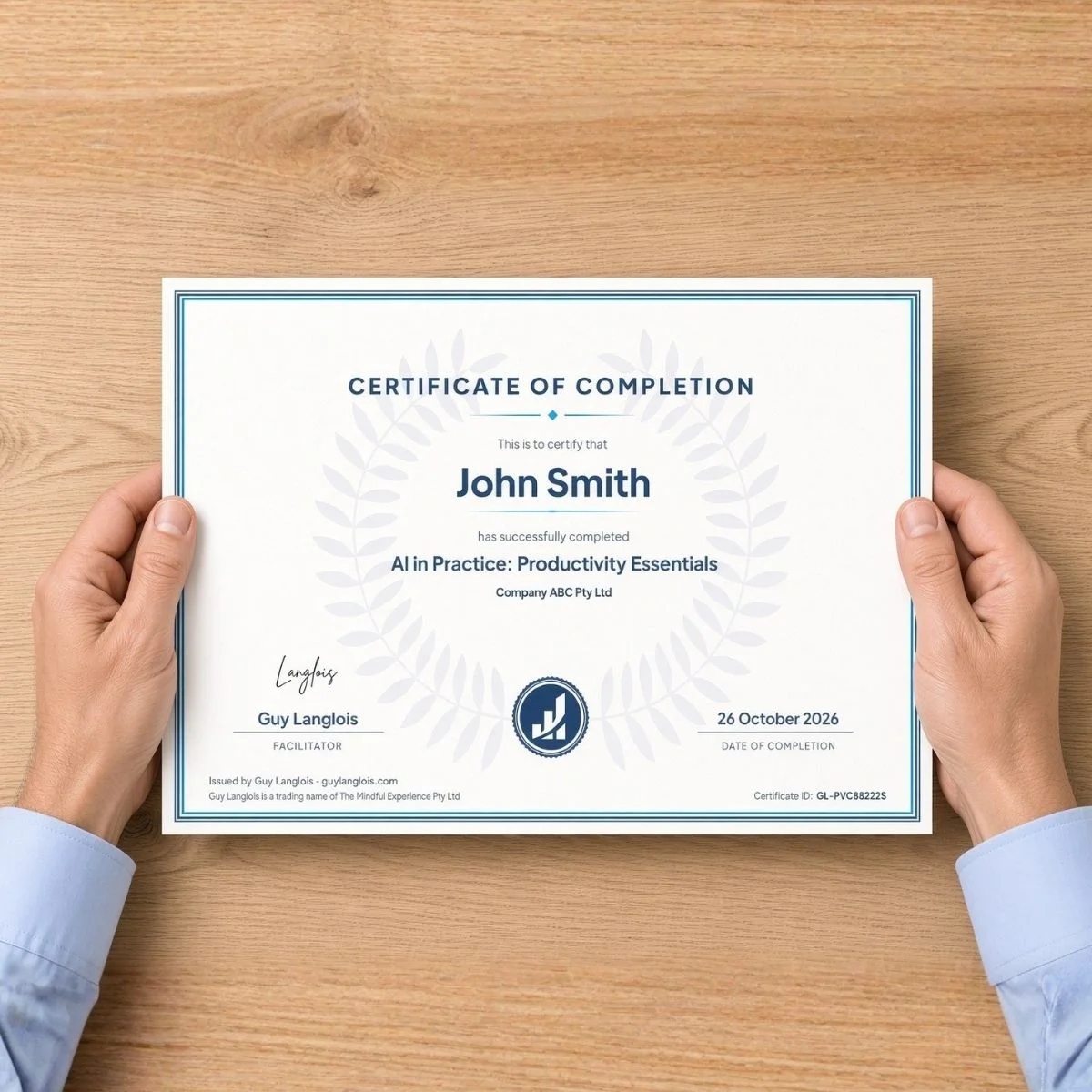
A certificate of completion for every participant
A post-delivery participant survey, with a pre-training survey where timing allows
A debrief about a week after delivery, with a short summary of outcomes
What participants leave with
Safe habits
Safe AI habits, and a simple test for what data to keep out
Prompts that work
A repeatable approach to writing prompts that consistently produce useful output
Errors caught early
Practical techniques to spot AI errors and verify output before trusting it, especially with numbers
Work that holds up
Applied skills for writing, research, and data work, with quality controls that hold up to professional scrutiny
Routines for the day
AI-assisted routines for the work that consumes the day: tasks, email, and meetings
A personal AI toolkit
A starter kit of personal AI assets: prompt library, knowledge files, reusable workflows, all of which compound over time
Is this right for your team?
This is for you if
your team spends hours on emails, reports, research and documentation that AI could speed up;
your people write, research, handle documents, work with data, communicate or develop business;
your team mixes complete beginners with people who have some AI experience;
you want your team to work smarter together, not just individually;
you value practical skills over theory: techniques they use the next working day.
This is not for you if
your team has zero tolerance for trial and error: using AI well takes experimentation;
you're looking for a set-and-forget solution: effective AI use is an ongoing skill;
you expect AI to replace human judgement: it amplifies your people, it doesn't replace them;
your team already uses chat AI daily and wants to build agents: see Building AI Agents: Essentials.
Before you book
Prerequisites
None: the course suits complete beginners. Participants bring:
a laptop;
access to an AI chat tool, ideally the one your organisation has approved.
We confirm both in the scoping call, and the course works in any mainstream AI tool.

Guy Langlois
With 15+ years at the intersection of technology and business, I help teams actually use AI, not just talk about it. I design for teams rather than individuals, so everyone leaves with shared approaches and consistent habits.
Master's in Software Engineering | Master's in Business and Innovation Management | Gold Coast, serving Australia and New Zealand
Organisations whose teams I've trained










What people say
“
Guy's AI training was genuinely useful, not just the concepts, but the practical tools he handed us to actually put them to work. I walked away with things I am applying immediately. Well worth the time.
Adam Curcio, Project Manager, Workforce and Innovation, Queensland Farmers' Federation
“
This course gave the necessary knowledge to understand how AI works, to be able to write or generate efficient prompts in an enterprise context.
Participant, Nova Systems (Productivity Essentials, 2026)
“
This course has provided me with the understanding I needed to safely and confidently use AI in the workplace.
Elise Parups, Head of Partnerships, Queensland Fruit & Vegetable Growers
Frequently asked questions
What AI tools do participants need?
Access to a generative AI chat tool, ideally the one your organisation has approved: ChatGPT, Microsoft Copilot, Claude and Gemini all work well. The course is tool-agnostic by default: the core techniques work in any of them, so what your team learns keeps its value as the tools change. If your team works in one tool, I can demonstrate its specific features; we agree this in the scoping call.
What if some team members are more tech-savvy than others?
The course meets people where they are. Beginners get solid foundations; experienced users pick up the techniques they've likely missed. Hands-on exercises let everyone work at their own pace, and mixed groups often produce the best discussion.
Will this work for our industry?
Yes. Framing a task, giving context, iterating and checking the output work in any industry. In the exercises, participants work on tasks from their own roles, using the safe-data habits they learn early in the day.
Can the course run online?
Yes, with the same content and the same hands-on exercises. It normally runs as a full day; other formats can be discussed.
How many people can attend?
Up to 20 per course, so groups stay small enough for hands-on practice.
What happens before the course?
A scoping call where I learn about your team, your challenges and your goals, so the examples and exercises fit your context. Light customisation is included: module swaps, custom activities and use cases drawn from your team's work. A fully bespoke course is quoted separately.
What do participants receive?
A digital, fillable workbook to keep using after the course, and a certificate of completion.
What happens after the course?
Participants complete a short survey on what they learnt and how the day went. About a week later, we meet for a debrief where I share a short summary of outcomes: what landed, what your team wants to do next, and where they may need more support.
What does it cost?
The course is quoted for your team after a short chat, based on format and location. Travel outside South East Queensland and a fully bespoke course are quoted separately.
Notes
1. OpenAI, "The state of enterprise AI", December 2025 (usage data from enterprise customers and a survey of 9,000 workers across almost 100 enterprises), as reported in Goldman Sachs' AI Adoption Tracker, March 2026. openai.com
2. Federal Reserve Bank of St. Louis, "The Impact of Generative AI on Work Productivity", 27 February 2025 (survey of US workers, November 2024). stlouisfed.org
3. Workday, "Beyond Productivity: Measuring the Real Value of AI", January 2026 (3,200 full-time employees who use AI, at organisations with more than US$100 million revenue, across North America, Asia-Pacific and EMEA; fielded by Hanover Research, November 2025). workday.com
Interested? Let's chat.
Happy to discuss how this training could work for your team. No commitment required.